|
Microsoft
Office |
| |
|
| |
|
| |
|
| |
|
| |
|
| |
|
| |
|
| |
|
| |
|
Creative
Courses |
| |
|
| |
|
| |
|
| |
|
| |
|
| |
|
| |
|
| |
|
| Web
Designing |
| |
|
| |
|
| |
|
| |
|
| |
|
| |
|
| |
|
| |
|
|
Network
Courses |
| |
|
| |
|
| |
|
| |
|
| |
|
| |
|
| |
|
| Programming
Courses |
| |
|
| |
|
| |
|
| |
|
| |
|
| |
|
| |
|
|
IT
Corporate Training
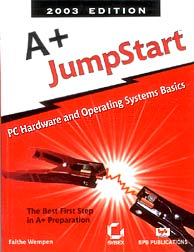
A+
(
Microsoft Certified Systems Engineer )
A+
Certification
For A+ Certification,
the examinee must pass both this examination and the A+ Operating
System
Technologies examination.
The Core Hardware examination measures essential competencies for
a desktop computer hardware service technician with six months of
on-the-job experience. The examinee must demonstrate
basic knowledge of installing, configuring, upgrading, troubleshooting,
and repairing desktop computer systems at the standard defined by
this test specification
For Salient
Features & Applications 
Course Contents
(Chapters Covered) :-
| a.
|
Networking essentials,
TCP/IP, IP Addressing & Subnetting. |
| b.
|
Overview of Windows
2000 |
| c. |
Installing of Windows
2000 |
| d. |
Upgrading to Windows
2000 |
| e. |
Using Control Panel |
| f. |
Working with File
Systems and Disks |
| g. |
Managing Users and
Groups |
| h. |
Using System Policy
and Group Policy |
| i. |
Sharing, Securing
and Accessing Files and Folders |
| j. |
Managing Printing |
| k. |
Auditing and Security |
| l. |
Backup and Recovery |
| m. |
Creating and Configuring
Network & Dial-up Connections |
| n.
|
Networking with
TCP/IP |
| o. |
Deploying Windows
2000 on your Network |
| p.
|
Monitoring, Optimizing
and Troubleshooting Performance |
| q. |
Overview of Active
Directory |
| r. |
Managing Remote
Access |
| s. |
Managing Terminal
Services & Distributed File Systems. |
| t.
|
Installing and Configuring
DNS, DHCP, WINS & Active Directory |
| u.
|
Managing, Optimizing
and Troubleshooting Active Directory Replication and Performance |
| v.
|
Managing FSMOs |
| w. |
Creating & Managing
Organisational Units & Sites. |
MCSE
Study Material
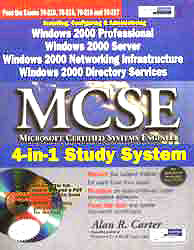
MCSE
(MICROSOFT CERTIFIED SYSTEM ENGINEER)
4-IN-1 Study System
by Alan R. Carter
Installing
& Configuring Windows XP Professional (70-270)
|
| 1.
|
Installing
Windows XP Professional |
| 2.
|
Perform and troubleshoot an
attended installation of Windows XP Professional. Perform
and troubleshoot an unattended installation of Windows XP
Professional. Install Windows XP Professional by using Remote
Installation Services (RIS). Install Windows XP Professional
by using the System Preparation Tool. Create unattended
answer files by using Setup Manager to automate the installation
of Windows XP Professional. Upgrade from a previous version
of Windows to Windows XP Professional. Prepare a computer
to meet upgrade requirements. Migrate existing user environments
to a new installation. Perform post-installation updates
and product activation. Troubleshoot failed installations.
|
| 3. |
Configuring
and Troubleshooting the Desktop Environment |
| 4. |
Configure
and manage user profiles and desktop settings. Create users
and configure user environment by user profiles. Configure
users for various roles. Configure and manage groups. Configure
support for multiple languages or multiple locations. Enable
multiple-language support. Configure multiple-language support
for users. Configure local settings. Configure Windows XP
Professional for multiple locations. Manage applications
by using Windows Installer packages. Configure Internet
and Remote Access and VPN connectivity |
| 5. |
Implementing
and Conducting Administration of Resources |
| 6. |
Monitor, manage, and troubleshoot access to files and folders.
Configure, manage, and troubleshoot file compression. Control
access to files and folders by using permissions. Optimize
access to files and folders. Manage and troubleshoot access
to shared folders. Create and remove shared folders. Control
access to shared folders by using permissions. Manage and
troubleshoot Web server resources. Connect to local and
network print devices. Manage printers and print jobs. Control
access to printers by using permissions. Connect to an Internet
printer. Connect to a local print device. Configure and
manage file systems. Convert from one file system to another
file system. Configure NTFS, FAT32, or FAT file systems.
Manage and troubleshoot access to and synchronization of
offline files. |
| 7. |
Implementing, Managing, Monitoring, and Troubleshooting Hardware
Devices and Drivers |
| 8. |
Implement, manage, and troubleshoot disk devices. Install,
configure, and manage DVD and CD-ROM devices. Monitor and
configure disks. Monitor, configure, and troubleshoot volumes.
Monitor and configure removable media, such as tape devices.
Implement, manage, and troubleshoot display devices. Configure
multiple-display support. Install, configure, and troubleshoot
a video adapter. Configure Advanced Configuration Power
Interface (ACPI). Implement, manage, and troubleshoot input
and output (I/O) devices. Monitor, configure, and troubleshoot
I/O devices, such as printers, scanners, multimedia devices,
mouse, keyboard, and smart card reader. Monitor, configure,
and troubleshoot multimedia hardware, such as cameras. Install,
configure, and manage modems. Install, configure, and manage
Infrared Data Association (IrDA) devices. Install, configure,
and manage wireless devices. Install, configure, and manage
USB devices. Install, configure, and manage hand held devices.
Install, configure, and manage network adapters. Manage
and troubleshoot drivers and driver signing. Monitor and
configure multiprocessor computers. |
| 9. |
Monitoring and Optimizing System Performance and Reliability
|
| 10. |
Monitor, optimize, and troubleshoot performance of the Windows
XP Professional desktop. Optimize and troubleshoot memory
performance. Optimize and troubleshoot processor utilization.
Optimize and troubleshoot disk performance. Optimize and
troubleshoot application performance |
| 11. |
Configure,
manage, and troubleshoot Scheduled Tasks. Manage, monitor,
and optimize system performance for mobile users. Restore
and back up the operating system, System State data, and
user data. Recover System State data and user data by using
Windows Backup. Troubleshoot system restoration by starting
in safe mode. Recover System State data and user data by
using the Recovery console |
| 12. |
Implementing, Managing, and Troubleshooting Network Protocol
Services |
| 13. |
Configure and troubleshoot the TCP/IP protocol. Connect
to computers by using dial-up networking. Connect to computers
by using a virtual private network (VPN) connection. Create
a dial-up connection to connect to a remote access server.
Connect to the Internet by using dial-up networking. Configure
and troubleshoot Internet Connection Sharing (ICS). Connect
to resources by using Internet Explorer. Configure, manage,
and implement Internet Information Services (IIS). Configure,
manage, and troubleshoot Remote Desktop and Remote Assistance.
Configure, manage, and troubleshoot an Internet Connection
Firewall (ICF). |
Managing
Windows Server Server (70-290)
|
| 1.
|
Managing and Maintaining Physical and Logical Devices |
| 2.
|
Tools might include Device Manager, the Hardware Troubleshooting
Wizard, and appropriate Control Panel items. |
| 3. |
Manage basic disks and dynamic disks. |
| 4. |
Optimize server disk performance. |
| 5. |
Implement a RAID solution |
| 6. |
De-fragment volumes and partitions. |
| 7. |
Monitor and Troubleshoot server hardware devices. |
| 8. |
Install and configure server hardware devices. |
| 9. |
Configure driver-signing options. |
| 10. |
Configure device properties and resource settings for a
device. |
| 11. |
Diagnose and resolve issues related to server hardware settings
and hardware device driver upgrades. |
| 12. |
Managing
Users, Computers, and Groups |
| 13. |
Manage local, roaming, and mandatory user profiles. |
| 14. |
Create
and manage computer accounts in an Active Directory environment.
|
| 15 |
Create
and manage groups. Identify and modify the scope of a group.
|
| 16 |
Find
domain groups in which a user is a member. Manage group membership.
|
| 17 |
Create
and modify groups by using the Active Directory Users and
Computers Microsoft Management Console (MMC) snap-in. |
| 18 |
Create
and modify groups by using automation. |
| 19 |
Create
and manage user accounts. Import user accounts. |
| 20 |
Create
and modify user accounts by using the Active Directory Users
and Computers |
| 21 |
Managing
and Maintaining Access to Resources |
| 22 |
Troubleshoot
user authentication issues. |
| 23 |
Troubleshoot
Terminal Services. |
| 24 |
Diagnose
and resolve issues related to Terminal Services security.
|
| 25 |
Diagnose
and resolve issues related to client access to Terminal Services.
|
| 26 |
Configure
access to shared folders. Manage shared folder permissions.
|
| 27 |
Configure
file system permissions. |
| 28 |
Verify
effective permissions when granting permissions. |
| 29 |
Change
ownership of files and folders. |
| 30 |
Troubleshoot
access to files and shared folders. |
| 31 |
Troubleshoot
print queues. |
| 32 |
Manage
a Web server. Manage Internet Information Services (IIS).
|
| 33 |
Manage
security for IIS. |
| 34 |
Managing
and Maintaining a Server Environment |
| 35 |
Monitor
and analyze events. Tools might include Event Viewer and System
Monitor. |
| 36 |
Manage
software update infrastructure. Manage software site licensing.
|
| 37 |
Manage
servers remotely. Manage a server by using Remote Assistance.
|
| 38 |
Manage
a server by using Terminal Services remote administration
mode |
| 39 |
Manage
a server by using available support tools. |
| 40 |
Monitor
system performance. |
| 41 |
Monitor
file and print servers. Tools might include Task Manager,
Event Viewer, and System Monitor. |
| 42 |
Monitor
disk quotas. Monitor print queues. Monitor server hardware
for bottlenecks. |
| 43 |
Monitor
and optimize a server environment for application performance. |
| 44 |
Monitor
memory performance objects. |
| 45 |
Monitor
network performance objects. |
| 46 |
Monitor
process performance objects. |
| 47 |
Managing
and Implementing Disaster Recovery |
| 48 |
Perform
system recovery for a server. |
| 49 |
Implement
Automated System Recovery (ASR). |
| 50 |
Restore
data from shadow copy volumes. |
| 51 |
Back
up files and System State data to media. |
| 52 |
Configure
security for backup operations. |
| 53 |
Manage
backup procedures. |
| 54 |
Verify
the successful completion of backup jobs. |
| 55 |
Manage
backup storage media. |
| 56 |
Recover
from server hardware failure. |
| 57 |
Restore
backup data. Schedule backup jobs |
Planning
Windows 2003 Server Network Infrastructure (70-291)
|
| 1.
|
Implementing,
Managing, and Maintaining IP Addressing |
| 2.
|
Configure TCP/IP addressing on a server computer. Manage
DHCP. Manage DHCP clients and leases. Manage DHCP Relay
Agent. Manage DHCP databases. Manage DHCP scope options.
Manage reservations and reserved clients. Troubleshoot TCP/IP
addressing. Diagnose and resolve issues related to Automatic
Private IP Addressing (APIPA). Diagnose and resolve issues
related to incorrect TCP/IP configuration. Troubleshoot
DHCP. Diagnose and resolve issues related to DHCP authorization.
Verify DHCP reservation configuration. Examine the system
event log and DHCP server audit log files to find related
events. Diagnose and resolve issues related to configuration
of DHCP server and scope options. Verify that the DHCP Relay
Agent is working correctly. Verify database integrity. |
| 3. |
Implementing, Managing, and Maintaining Name Resolution |
| 4. |
Install
and configure the DNS Server service. Configure DNS server
options. Configure DNS zone options. Configure DNS forwarding.
Configure DNS caching only. |
| 5. |
Manage DNS. Manage DNS zone settings. Manage DNS record settings.
Manage DNS server options. Manage DNS zone options. |
| 6. |
Monitor DNS. Tools might include System Monitor, Event Viewer,
Replication Monitor, and DNS debug logs |
| 7. |
Implementing, Managing, and Maintaining Routing and Remote
Access |
| 8. |
Configure Routing and Remote Access user authentication.
Configure remote access authentication protocols. Configure
Internet Authentication Service (IAS) to provide authentication
for Routing and Remote Access clients. Configure Routing
and Remote Access policies to permit or deny access. Manage
remote access. Manage packet filters. Manage Routing and
Remote Access routing interfaces. Manage devices and ports.
Manage routing protocols. Manage Routing and Remote Access
clients. Manage TCP/IP routing. Manage routing protocols.
Manage routing tables. Manage routing ports. Implement secure
access between private networks. Troubleshoot user access
to remote access services. Diagnose and resolve issues related
to remote access VPNs. Diagnose and resolve issues related
to establishing a remote access connection. Diagnose and
resolve user access to resources beyond the remote access
server. Troubleshoot Routing and Remote Access routing.
Troubleshoot demand-dial routing. Troubleshoot router-to-router
VPNs. |
| 9. |
Implementing, Managing, and Maintaining Network Infrastructure
and Security |
| 10. |
Implement secure network administration procedures. Implement
security baseline settings and audit security settings by
using security templates. Implement the principle of least
privilege. Install and configure software update infrastructure.
Install and configure software update services. Install
and configure automatic client update settings. Configure
software updates on earlier operating systems. Monitor network
protocol security. Tools might include the IP Security Monitor
Microsoft Management Console (MMC) snap-in and Kerberos
support tools. Troubleshoot network protocol security. Tools
might include the IP Security Monitor MMC snap-in, Event
Viewer, and Network Monitor. Monitor network traffic. Tools
might include Network Monitor and System Monitor. Troubleshoot
connectivity to the Internet. Troubleshoot server services.
Diagnose and resolve issues related to service dependency.
Use service recovery options to diagnose and resolve service-related
issues |
Planning
Windows 2003 Server Network Infrastructure (70-293)
|
| 1.
|
Planning
and Implementing Server Roles and Server Security |
| 2.
|
Configure security for servers that are assigned specific
roles. Plan a secure baseline installation. Plan a strategy
to enforce system default security settings on new systems.
Identify client operating system default security settings.
Identify all server operating system default security settings.
Plan security for servers that are assigned specific roles.
Roles might include domain controllers, Web servers, database
servers, and mail servers. Deploy the security configuration
for servers that are assigned specific roles. Create custom
security templates based on server roles. Evaluate and select
the operating system to install on computers in an enterprise.
Identify the minimum configuration to satisfy security requirements.
|
| 3. |
Planning, Implementing, and Maintaining a Network Infrastructure |
| 4. |
Plan
a TCP/IP network infrastructure strategy. Analyze IP addressing
requirements. Plan an IP routing solution. Create an IP
subnet scheme. Plan and modify a network topology. Plan
the physical placement of network resources. Identify network
protocols to be used. Plan an Internet connectivity strategy.
Troubleshoot connectivity to the Internet. Troubleshoot
TCP/IP addressing. Diagnose and resolve issues related to
Network Address Translation (NAT). Diagnose and resolve
issues related to name resolution cache information |
| 5. |
Diagnose and resolve issues related to client configuration.
Diagnose and resolve issues related to client computer configuration.
Diagnose and resolve issues related to DHCP server address
assignment. Plan a host name resolution strategy. Plan a
DNS namespace design. Plan zone replication requirements.
Plan a forwarding configuration. Plan for DNS security.
Examine the interoperability of DNS with third-party DNS
solutions. Plan a NetBIOS name resolution strategy. Plan
a WINS replication strategy. Plan NetBIOS name resolution
by using the Lmhosts file. Troubleshoot host name resolution.
Diagnose and resolve issues related to DNS services. Diagnose
and resolve issues related to client computer configuration
|
| 6. |
Planning, Implementing, and Maintaining Routing and Remote
Access |
| 7. |
Plan a routing strategy. Plan routing for IP multicast traffic.
Identify routing protocols to use in a specified environment.
Plan security for remote access users. Plan remote access
policies. Analyze protocol security requirements. Plan authentication
methods for remote access clients. Implement secure access
between private networks. Create and implement an IPSec
policy. Troubleshoot TCP/IP routing. Tools might include
the route, tracert, ping, pathping, and netsh commands and
Network Monitor. |
| 8. |
Planning, Implementing, and Maintaining Server Availability
|
| 9. |
Configure Active Directory service for certificate publication.
Plan a public key infrastructure (PKI) that uses Certificate
Services. Identify the appropriate type of certificate authority
to support certificate issuance requirements. Plan the enrollment
and distribution of certificates. Plan for the use of smart
cards for authentication. Plan a framework for planning
and implementing security. Plan for security monitoring.
Plan a change and configuration management framework for
security. Plan a security update infrastructure. Tools might
include Microsoft Baseline Security Analyzer and Microsoft
Software Update Services. Plan network traffic monitoring.
Tools might include Network Monitor and System Monitor. |
Planning
& Implementing Active Directory Infrastructure (70-294)
|
| 1.
|
Planning
and Implementing an Active Directory Infrastructure |
| 2.
|
Plan a strategy for placing global catalog servers. Evaluate
network traffic considerations when placing global catalog
servers. Evaluate the need to enable universal group caching.
Plan flexible operations master role placement. Plan for
business continuity of operations master roles. Identify
operations master role dependencies. Implement an Active
Directory service forest and domain structure. Create the
forest root domain. Create a child domain. Create and configure
Application Data Partitions. Install and configure an Active
Directory domain controller. Set an Active Directory forest
and domain functional level based on requirements. Establish
trust relationships. Types of trust relationships might
include external trusts, shortcut trusts, and cross-forest
trusts. Implement an Active Directory site topology. Configure
site links. Configure preferred bridgehead servers. |
| 3. |
Managing and Maintaining an Active Directory Infrastructure
|
| 4. |
Manage
an Active Directory forest and domain structure. Manage
trust relationships. Manage schema modifications. Add or
remove a UPN suffix. Manage an Active Directory site. Configure
site boundaries. Configure replication schedules. Configure
site link costs. |
| 5. |
Monitor Active Directory replication failures. Tools might
include Replication Monitor, Event Viewer, and support tools.
Monitor Active Directory replication. Monitor File Replication
service (FRS) replication. Restore Active Directory services.
Perform an authoritative restore operation. Perform a non-authoritative
restore operation. Troubleshoot Active Directory. Diagnose
and resolve issues related to Active Directory replication.
Diagnose and resolve issues related to operations master
role failure. Diagnose and resolve issues related to the
Active Directory database. |
| 6. |
Planning and Implementing User, Computer, and Group Strategies |
| 7. |
Plan Group Policy strategy. Plan a Group Policy strategy
by using Resultant Set of Policy (RSoP) Planning mode. Plan
a strategy for configuring the user environment by using
Group Policy. Plan a strategy for configuring the computer
environment by using Group Policy. Configure the user environment
by using Group Policy. Distribute software by using Group
Policy. Automatically enroll user certificates by using
Group Policy. Redirect folders by using Group Policy. Configure
user security settings by using Group Policy. Deploy a computer
environment by using Group Policy. Distribute software by
using Group Policy. Automatically enroll computer certificates
by using Group Policy. Configure computer security settings
by using Group Policy. Managing and Maintaining Group Policy
Troubleshoot issues related to Group Policy application
deployment. Tools might include RSoP and the gpresult command.
Maintain installed software by using Group Policy. Distribute
updates to software distributed by Group Policy. Configure
automatic updates for network clients by using Group Policy.
Troubleshoot the application of Group Policy security settings.
Tools might include RSoP and the gpresult command. |
Designing
Active Directory & Network Infrastructure (70-297)
|
| 1.
|
Creating
the Conceptual Design by Gathering and Analyzing Business
and Technical Requirements |
| 2.
|
Environment. Analyze current network administration model.
Analyze network requirements. Analyze DNS for Active Directory
service implementation. Analyze the current DNS infrastructure.
Analyze the current namespace. Analyze existing network
operating system implementation. Identify the existing domain
model. Identify the number and location of domain controllers
on the network. Identify the configuration details of all
servers on the network |
| 3. |
Analyze security requirements for the Active Directory service.
Analyze current security policies, standards, and procedures.
Identify the impact of Active Directory on the current security
infrastructure. Identify the existing trust relationships. |
| 4. |
Identify
constraints in the current network infrastructure. Interpret
current baseline performance requirements for each major
subsystem. Analyze the impact of the infrastructure design
on the existing technical |
| 5. |
Design the Active Directory and Network Services infrastructure
to meet business and technical requirements |
| 6. |
Create the conceptual design of the Active Directory forest
structure. Design the Active Directory replication strategy.
Create the conceptual design of the organizational unit
(OU) structure. Create the conceptual design of the DNS
infrastructure. Create the conceptual design of the WINS
infrastructure. Create the conceptual design of the DHCP
infrastructure. Creating the Logical Design for an Active
Directory Infrastructure Design an OU structure. Identify
the Group Policy requirements for the OU structure. Design
an OU structure for the purpose of delegating authority.
Design a security group strategy. Define the scope of a
security group to meet requirements. |
| 7. |
Define user roles. Design a user and computer authentication
strategy. Identify common authentication requirements. Select
authentication mechanisms. |
| 8 |
Design
a user and computer account strategy. Specify account policy
requirements. Specify account requirements for users, computers,
administrators, and services. Design an Active Directory
naming strategy. |
| 9 |
Identify
NetBIOS naming requirements. Design migration paths to Active
Directory. Define whether the migration will include an
in-place upgrade, domain restructuring, or migration to
a new Active Directory environment. |
| 10 |
Design
the administration of Group Policy objects (GPOs). |
| 11 |
Creating
the Logical Design for a Network Services Infrastructure |
| 12 |
Design
a DNS name resolution strategy. Create the namespace design.
Identify DNS interoperability with Active Directory, WINS,
and DHCP. Specify zone requirements. Specify DNS security.
Design a DNS strategy for interoperability with UNIX Berkeley
Internet Name Domain (BIND) to support Active Directory.
Design a NetBIOS name resolution strategy. Design a WINS
replication strategy |
| 13 |
Design
security for remote access users. |
| 14 |
Design
remote access policies. Specify logging and auditing settings.
Design a DNS service implementation. Design a strategy for
DNS zone storage. Specify the use of DNS server options.
Identify the registration requirements of specific DNS records.
Design a remote access strategy. Specify the remote access
method. Specify the authentication method for remote access.
Design an IP address assignment strategy. Specify DHCP integration
with DNS infrastructure. Specify DHCP interoperability with
client types. |
| 15 |
Creating
the Physical Design for an Active Directory and Network Infrastructure |
| 16 |
Design
DNS service placement. Design an Active Directory implementation
plan. Design the placement of domain controllers and global
catalog servers. Plan the placement of flexible operations
master roles. Select the domain controller creation process.
Specify the server specifications to meet system requirements.
Design Internet connectivity for a company. Design a network
and routing topology for a company. Design a TCP/IP addressing
scheme through the use of IP subnets. Specify the placement
of routers. Design IP address assignment by using DHCP.
Design a perimeter network. Design the remote access infrastructure.
Plan capacity. Ascertain network settings required to access
resources. Design for availability, redundancy, and survivability.
|
|

 :
091-22-23676218, 23679302, 23671772, Fax: 091-22-23671772
:
091-22-23676218, 23679302, 23671772, Fax: 091-22-23671772 YahooMessenger
 Gmail
Gmail Mobile
Number
Mobile
Number