|

|





 |
||||||||
|
Hardware
Course
|
||||||||
| Network Certification Courses |
||||||||
|
||||||||
| Students Review |
||||||||
| GAVIN
J (UK) |
||||||||
| ROBERT
KITCHEN (UK) |
||||||||
| HABIB
SALEM (UGANDA) |
||||||||
| ALKESH
(UK) |
||||||||
| STEVE
GUY (SCOTLAND) |
||||||||
| SIMON
HIGHAM (UK) |
||||||||
| SAYED
B. KADIRI (UK) |
||||||||
Advance Diploma in Network EngineeringMCSE + CCNA + CCNP + Linux
MCSE
( Microsoft Certified Systems Engineer )Course Contents (Chapters Covered) :-
a. Networking essentials, TCP/IP, IP Addressing & Subnetting. b. Overview of Windows 2000 c. Installing of Windows 2000 d. Upgrading to Windows 2000 e. Using Control Panel f. Working with File Systems and Disks g. Managing Users and Groups h. Using System Policy and Group Policy i. Sharing, Securing and Accessing Files and Folders j. Managing Printing k. Auditing and Security l. Backup and Recovery m. Creating and Configuring Network & Dial-up Connections n. Networking with TCP/IP o. Deploying Windows 2000 on your Network p. Monitoring, Optimizing and Troubleshooting Performance q. Overview of Active Directory r. Managing Remote Access s. Managing Terminal Services & Distributed File Systems. t. Installing and Configuring DNS, DHCP, WINS & Active Directory u. Managing, Optimizing and Troubleshooting Active Directory Replication and Performance v. Managing FSMOs w. Creating & Managing Organisational Units & Sites.
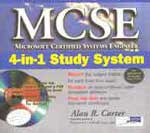
MCSE Study material
MCSE (MICROSOFT CERTIFIED SYSTEM ENGINEER)
4-IN-1 Study System
by Alan R. Carter
Installing, Configuring, and Administering Microsoft Windows 2000 Professional Installing, Configuring, and Administering Microsoft Windows 2000 Server Implementing and Administering Microsoft Windows 2000 Network Infrastructure Implementing and Administering Microsoft Windows 2000 Directory Services Infrastructure Designing a Microsoft Windows 2000 Directory Services Infrastructure Designing Security for a Microsoft Windows 2000 Network Designing a Microsoft Windows 2000 Network Infrastructure Course Fees includes Study Material
Course Fees does not include Examination ChargesOverseas / Outstation & Local students can complete the course within 15 days if you take 8hrs daily
CCNA
( CISCO Certified Network Associate )
Topic Guidelines for CCNA Exam
The following topics are general guidelines for the content likely to be included on the CCNA exam. However, other related topics may also appear on any specific delivery of the exam.
Bridging/Switching
- Name and describe two switching methods
- Distinguish between cut-through and store-and-forward LAN switching.
- Describe the operation of the Spanning Tree Protocol and its benefits.
- Describe the benefits of virtual LANs.
OSI Reference Model & Layered Communications
Network Protocols
Routing
WAN Protocols
Network Management
LAN Design
Cisco Basics, IOS & Network Basics
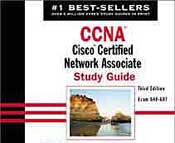
CCNA Study Material
CCNA: Cisco Certified Network Associate Study Guide (3rd Edition)
by Todd Lammle
CCNP Certification
The CCNP certification (Cisco Certified Network Professional) indicates advanced or journeyman knowledge of networks. With a CCNP, a network professional can install, configure, and operate LAN,WAN, and dial access services for organizations with networks from 100 to more than 500 nodes, including but not limited to these protocols: IP, IGRP, IPX, Async Routing, AppleTalk, Extended Access Lists, IP RIP, Route Redistribution, RIP, Route Summarization, OSPF, VLSM, BGP, Serial, Frame Relay, ISDN, ISL, X.25, DDR, PSTN, PPP, VLANs, Ethernet, Access Lists, 802.10, FDDI, Transparent and Translational Bridging.
Organizations whose networks have from 100 to more than 500 nodes.
A CCNP certified individual can perform the following tasks:
• Implement appropriate technologies to build a scalable routed network
• Build campus networks using multilayer switching technologies
• Improve traffic flow, reliability, redundancy, and performance for campus LANs, routed and switched WANs, and remote access networks
• Create and deploy a global intranet
• Troubleshoot an environment that uses Cisco routers and switches for multiprotocol client hosts and services
Positions for a CCNP certified individual include:
• Network administrator
• Level 2 support engineer
• Level 2 systems engineer
• Network technician
• Deployment engineer
Advance Your Career CCNP Certification
Expand Your Professional Options Gaining and Certifying Advanced Skills
The CCNP certification validates an individual’s networking skills at the midcareer level. Candidates who pass the required proctored exams will receive a CCNP certificate from Cisco and may use the CCNP designation on their business cards.
CCNP forms the professional level of the Cisco Career Certification program.
Who is the course for?
Anyone with a good background in Computer Networks and the Internet and preferably CCNA qualified.What will the course give you?
• Preparation for the CISCO Certified Network Professional Exams
• Advanced networking skills to design, install and maintain large routed computer networks.
• Increased professional credibility by gaining high standards of technical expertise.
• Skills necessary to improve your opportunities within the workforce.
• The knowledge and skills necessary to take the CCNP examsWhat material is covered ?
• Extending IP Addresses Using VLSMs
• Configuring OFPF, Enhanced IGRP and BGP
• Assembling and Cabling WAN Components
• Using ISDN and DDR to Enhance Remote Connectivity
• Scaling IP Addresses with PAT and NAT
• Introduction to Switching Concepts and Virtual LANs
• Support Resources for Troubleshooting
• Workgroup Discovery Lab and CCO
• Documenting Symptoms, Actions and Results
• Tracking Log-ins and Connections
• Troubleshooting VLANs on Routers and Switches
Exam Recommended Training FEES (IRS) US $ 640-901 BSCI Building Scalable Cisco Internetworks (BSCI) 7,500 150 640-604 Switching Building Cisco Multilayer Switched Networks (BCMSN) 7,500 150 640-605 Remote Access Building Cisco Remote Access Networks (BCRAN) 7,500 150 640-606 Support Cisco Internetwork Troubleshooting Support (CIT) 7,500 150 Building Scalable Cisco Internetworks Exam (BSCI)
The Building Scalable Cisco Internetworks exam is one exam within a series of exams required to achieve CCIP certification. This exam will also be accepted as a replacement for the Routing exam (640-603 RTING), since the content includes all topics for the Routing exam as well as additional information relevant to communications and services audiences.Exam Topics
The following topics are general guidelines for the content likely to be included on the Building Scalable Cisco Internetworks exam. However, other related topics may also appear on any specific delivery of the exam.
Building Cisco Multilayer Switched Networks (BCMSN)
In the Building Cisco Multilayer Switched Networks (BCMSN) course, network administrators learn how to build campus networks using multilayer switching technologies over high speed Ethernet. This course includes both routing and switching concepts, covering both Layer 2 and Layer 3 technologies. BCMSN is part of the recommended training path for those students seeking the Cisco Certified Network Professional (CCNP), Cisco Certified Design Professional (CCDP), and Cisco Certified Internetwork Expert (CCIE) certifications.Exam Topics
The following topics are covered in the BCMSN course:
Building Cisco Remote Access Networks (BCRAN)
In the Building Cisco Remote Access Networks course, students learn how to build, configure and troubleshoot a remote access network to interconnect central sites to branch offices and home offices. Students also learn how to control access to the central site, as well as to maximize bandwidth utilization over the remote links.Exam Topics
The following topics are covered in the BCRAN course:
- Building Remote Access Networks Introduction
- Enhancing On-Demand Connectivity
- Enabling Permanent Connections to the Central Site
- Scaling and Troubleshooting Remote Access Networks
Cisco Internetwork Troubleshooting (CIT)
The Cisco Internetwork Troubleshooting (CIT) course teaches students how to baseline and troubleshoot an environment using Cisco routers and switches for multiprotocol client hosts and servers connected with the following:
- Ethernet and Fast Ethernet LANs
- Serial, Frame Relay, and ISDN BRI WANs
The course provides students with methodical practice using specific Cisco IOS software and Catalyst software tools to diagnose and correct problems on widely installed Cisco products.
Exam Topics
The following topics are covered in the CIT course:
- Diagnosing and Correcting Novell Networking Problems
- Diagnosing and Correcting Catalyst Problems
- Troubleshooting VLANs on Routers and Switches
- Diagnosing and Correcting Frame Relay Problems
- Diagnosing and Correcting ISDN BRI Problems
Exam Description
The CISCO Certified Network Associate exam (CCNA) is the only exam required to achieve a CCNA Routing and Switching certification.
The CISCO Certified Network Professional exam (CCNP) will have four papers.
Course Fees includes Study Material
Course Fees does not include Examination Charges
Examination Fees : US $ 150 per paperExamination Fees : US $ 600 for four papers
Students can Complet CCNA+CCNP in 30 to 35 days. This duration include
Completion of Course at Compufield premises includes instruction, Practice,
Practicals and Offline examination test.
Course Duration Fees (Indian Rs.) Fees (US $) 200 hours 65,000 1,354
LINUX COURSES
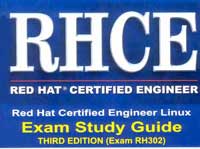
Basics of Linux (2 Days - 16 Hours) (Level I)
Course Audience: The course is intended for those who want to learn the very basics of Linux Operating System or those who want to go for System and Network Administration and don't have any prior experience on Linux
Linux System Administration (3 Days - 24 Hours) (Level II)
Course Audience: The course is intended for those who want to learn, pursue a job as System Administrator and Covers all aspects of System Administration.
Linux Network Administration (Approx 40 Hours) (Level III)
Course Audience: The course is intended for those who want to learn, upgrade from System Administration. The course targets the most difficult and challenging option on Linux/Unix Operating Systems, configuration of DHCP, DNS, Apache using command line.
Linux Optional Modules
Exam Description
Course Fees includes Study Material
Course Fees does not include Examination Charges
Examination Fees : US $ 150 per paperExamination Fees : US $ 600 for four papers
Students can Complete CCNA+CCNP in 30 to 35 days. This duration include
Completion of Course at Compufield premises includes instruction, Practice,
Practicals and Offline examination test.
Examination Fees Examination
SubjectPer Paper
IRS.Per Paper
US$No. of Papers Per Course
IRS.Per Course
US $MCSE 2,500 50 7 CCNA 7,500 150 1 CCNP 7,500 150 4 LINUX 6000 120 2 Total Total fees for Examination
Indian Rupees = Fifty six Thousand & Two hundred only.
US Dollars = One Thousand Two hundred & Forty only.
MCSE + CCNA + CCNP + Linux
** Lodging, boarding and travelling not included in the fees.
Course Duration Fees (Indian Rs.) Fees (US $) 400 hours 93,600 2080
Note:
Overseas / Outstation & Local students can complete the course
within 15 days ( Working days Excluding Sunday) if you take 8 hrs daily
Normally a Students takes minimum 15 to 30 days to prepare for all
7 Exams, depending on his background and his Commitment toward MCSE Studies.
120 hours includes of Instruction +Practicals
E-mail me
khairaz@compufield.comICQ No.
28444214
Mobile Number
+91-9820134058Fax Number
091-22-23673104
HEAD OFFICE : Chinoy Mansion, First Floor, Block # 2,
Opposite St. Stephen's Church, Warden Road, Mumbai(Bombay)-400 036
India.
: 091-22-23676218 (3 Lines), Fax: 091-22-23671772
 Yahoo
Messenger
Yahoo
Messenger MSN
Messenger
MSN
Messenger
|
|||
|